WHY I MADE THIS

I ship faster than I can make screenshots.

Chris Raroque

I ship four apps.

Ellie
Amy
Luna
Mogul

I make a lot of screenshots for them.

Help centers, changelogs, posts and thumbnails. Doing all of it by hand is super time consuming.

iPhone Reminders with the Groceries row highlighted against a blurred meadow background.
iPhone Settings with Apple Intelligence & Siri highlighted against a blurred meadow.
Film treatment applied to an iPhone Shortcuts mockup on a blue background.
Lift effect keeps Apple Intelligence & Siri bright while dimming the rest of an iPhone Settings screen.
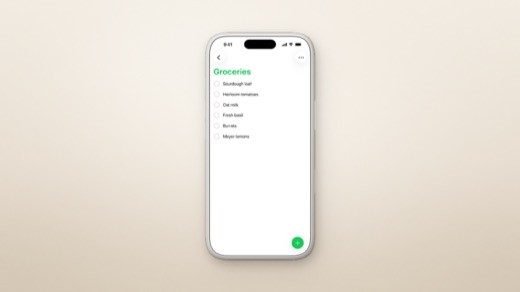
A silver iPhone showing a grocery checklist, centered on a warm beige background with a soft shadow.
Apple Intelligence & Siri highlighted on an iPhone Settings screen against soft pink clouds.
Dreamy treatment applied to an iPhone Shortcuts mockup with a soft blue background.
A grocery-list iPhone mockup with a large headline placed above the phone on a pale pink background.
Reminders iPhone mockup with the headline Every list, one tap away above its colorful list overview.
Apple Intelligence & Siri highlighted on an iPhone Settings screen against pale green brushstrokes.
Risograph treatment gives an iPhone Shortcuts mockup a purple and blue printed texture.
A grocery-list iPhone mockup over a meadow background treated with halftone dots.
iPhone Settings in a gold-toned device frame, centered against a softly blurred turquoise background.
Apple Intelligence & Siri highlighted on an iPhone Settings screen against pale peach watercolor shapes.
Mono treatment makes the background black and white while keeping the iPhone Shortcuts screen in color.
The bottom of an iPhone Reminders mockup blurs into the meadow behind it.
Ellie’s daily planner landing page displayed in a landscape tablet mockup on a turquoise background.
Apple Intelligence & Siri highlighted on an iPhone Settings screen against a soft blue sky background.
Ellie’s daily planner landing page in a desktop browser mockup against a turquoise background.
Apple Intelligence & Siri highlighted on an iPhone Settings screen against layered pale gray shapes.
Moonjar’s asset library displaying a portrait Reminders mockup with the headline Every list, beautifully organized.
Apple Intelligence & Siri highlighted on an iPhone Settings screen against softly blurred sand dunes.
iPhone Settings in a black device frame, centered against a softly blurred turquoise background.
Apple Intelligence & Siri highlighted on an iPhone Settings screen against a soft mint and blue gradient.

Current screenshot and screen recorder apps are great, but I don’t have time anymore.

They are made for people who want to tweak every shot by hand.
I used to have time for that. I do not now. 🥲

Screen Studio
CleanShot X
Rotato

So I built one my agents can use.

Moonjar was built for Claude Code and Codex.

Moonjar
Works with
Claude Code
Codex

A real Claude Code session in Moonjar, trimmed for length.

AGENT FIRST

What does agent-first mean?

Moonjar gives your coding agent the capture and design controls. Describe what you need, review the results in Moonjar, and ask your agent for changes. See the capture and design workflow.

A manual editor would need all the controls on the left. Here is the same workflow through your coding agent.

A settings panel with hundreds of controls, running past the bottom of the frame

“Make a hero shot of the Groceries list for the help center.”

Moonjar is working
Opening Reminders
Using the simulator
Capturing the screen
Saved to the library
MADE WITH MOONJAR
🙅 If there were a UI😍 What you actually do

That panel is not a real app. It is what Moonjar would have had to become to give you the same control by hand.

This is for people who make a lot of screenshots.

MOONJAR © 2026

SCREENSHOTS AND DEMOS MADE WITH MOONJAR

MOONJAR © 2026

SCREENSHOTS AND DEMOS MADE WITH MOONJAR