
App Store screenshot generators: free plans, prices and whose screens they show
Twelve App Store screenshot generators, read from each tool’s own pages: which keep your real screens, and which free plans export an uploadable set.
Chris Raroque
·

For most apps, the best App Store screenshot generator is a template editor: you upload real screenshots from the Simulator or a phone, pick a layout, and export every size Apple asks for. Reach for an AI generator when you want the layout and headlines drafted for you, and check that it didn’t redraw your app. Reach for an agent tool when you want Claude Code or Codex to do the work from your repo.
How this comparison was made: nothing below was installed, signed up for or run. Every statement comes from the vendor’s own site, pricing page, templates page, docs, README, license or Mac App Store listing, checked on September 18, 2026, with the prices rechecked on September 19 wherever the page would load (AppScreens’ and AppLaunchpad’s pricing pages wouldn’t, so theirs are as of September 18). Prices are in US dollars except AppLaunchFlow’s, which it shows in euros. Moonjar, the Mac app I’m building, is our product; it overlaps with the agent tools, but it’s in early access, so it isn’t one of the picks and has its own section at the end.
Quick answer by what you need
What you need | Pick and price |
|---|---|
Every size, languages, upload to App Store Connect | AppScreens: free for 5 screenshots; $25 a month or $99 a year |
The most templates | AppLaunchpad: free with limited exports; $29 a month or $15 a month yearly |
A free plan with a credit link, or an API | Screenshots.pro: free with a credit link; $19 a month without one; API from $49 a month |
A free first listing, then credits | AppScreenStudio: free up to 10 screenshots a project; credit packs from $10 |
A Mac app that uploads for you | Screenshot Studio: paid export, $9.99 a month or $89.99 once |
Free, no account, stays in your browser | AppMockUp Studio: free; paid templates $9.97 each |
Free and open source | Yuzu’s generator: free (MIT) |
AI drafts the layout, you edit | AppLaunchFlow: free to preview; €9 for 7 days; €15 a month or €99 a year |
AI designs the set from a prompt | Buff My App: from $8.99 a week; no free plan |
An editor your agent builds in your repo | ParthJadhav’s skill: free (MIT) |
Your agent drives the Simulator and replays flows | Goldie: free (MIT) |
Headlines from your code, image model polish | Adam Lyttle’s skill: free (MIT), plus about $0.134 an image |
Can you get an uploadable set for free?
Going by each tool’s own pages, for an iPhone set at a 6.9-inch size:
Yes, per their docs: Yuzu’s generator (MIT; its live editor offers the 6.9-inch size at 1320 x 2868), ParthJadhav’s skill and Goldie (both export 1320 x 2868). AppScreenStudio’s pricing page says its free plan exports full resolution in every size, but its homepage mentions a daily export limit.
Yes, with a catch: AppMockUp Studio is free (16 free templates), but its pages give export formats and quality levels, not App Store pixel sizes, so measure what it exports. Screenshots.pro exports every size free, but its license requires a credit link wherever the screenshots are used, your App Store listing included. AppScreens’ free plan allows 5 screenshots and marks its 6.9-inch and 6.5-inch presets as paid; its free 6.7-inch preset may export 1290 x 2796, which Apple accepts as 6.9-inch, but the page doesn’t say.
No: Screenshot Studio (export needs payment), AppLaunchFlow (free exports are previews), Buff My App (no free plan) and Adam Lyttle’s skill (paid image model). AppLaunchpad’s free export allowance isn’t published.
Whatever you pick, measure the exported files before you upload: exact size, and no alpha channel (the command is at the end of this page).
What to check before you pick one
Which sizes the free plan exports. Apple’s screenshot specifications take one iPhone set at 6.9-inch (1260 x 2736, 1290 x 2796 or 1320 x 2868 pixels in portrait); a 6.5-inch set is required only if you don’t provide 6.9-inch. If the app runs on iPad, add a 13-inch set (2064 x 2752 or 2048 x 2732). The full list is in the App Store screenshot sizes reference.
What a free export comes with. A watermark, a required credit link, a daily cap, or no full-resolution download at all.
Whose pixels are on the phone. A template editor places your capture as it is. An AI generator may restyle around it, generate artwork next to it, or redraw the whole slide. Apple’s App Review Guidelines ask in section 2.3 that screenshots accurately reflect the app’s core experience, and 2.3.3 asks that they show the app in use.
Where your screenshots go. A hosted editor uploads them to the vendor’s servers; a few tools keep everything in your browser or on your Mac. Use demo data either way.
PNG and alpha. Apple’s page says screenshots can’t include alpha channels or transparency. Several of these tools export PNG, so check the files before you upload.
If you still need the source screenshots, the Simulator screenshot guide covers a clean 9:41 status bar and which simulator gives which size.
Template editors: your real screenshots, placed in a layout
These are online editors (and one Mac app) where you upload captures, drop them into a template and export the sizes each store wants. What’s on the phone is your capture. If you would rather start from a Figma, Sketch or Photoshop file than a hosted editor, see App Store screenshot templates.
AppScreens
Best for: a full store set in every size and language, uploaded straight to App Store Connect.

The Kova template on AppScreens’ templates page, with the sizes the page marks it compatible with. Screenshot of appscreens.com, captured September 18, 2026.
What it costs, from AppScreens’ pricing page on September 18, 2026:
Free: create and export up to 5 screenshots in one project, at the essential iOS and Android sizes, with Pro features shown under a watermark. The page says the free plan is for your own app.
Pro, $25 a month or $99 a year: all device sizes, 10 languages, direct upload to App Store Connect and Google Play, 10 projects, 150+ Pro templates, AI captions and restyling, and 3D device frames.
Scale, $50 a month or $180 a year: an extended license for client work, all 80+ locales, unlimited projects and up to 25 screenshots per project.
The size question on the free plan: the plan table marks the 6.9-inch and 6.5-inch iPhone sizes as needing a subscription, while the free list includes 6.7-inch iPhone and 12.9-inch iPad. Apple’s 6.9-inch set accepts 1290 x 2796 and its 13-inch set accepts 2048 x 2732, the 12.9-inch size, but the page doesn’t say which pixel sizes the free presets export, so check the files before you count on the free plan.
The catch: five screenshots in one project is a small set, and the page doesn’t say whether an iPad set fits in it beside the iPhone one. API and MCP integrations are listed as coming soon.
AppLaunchpad
Best for: the widest choice of ready-made looks, if you pay yearly.
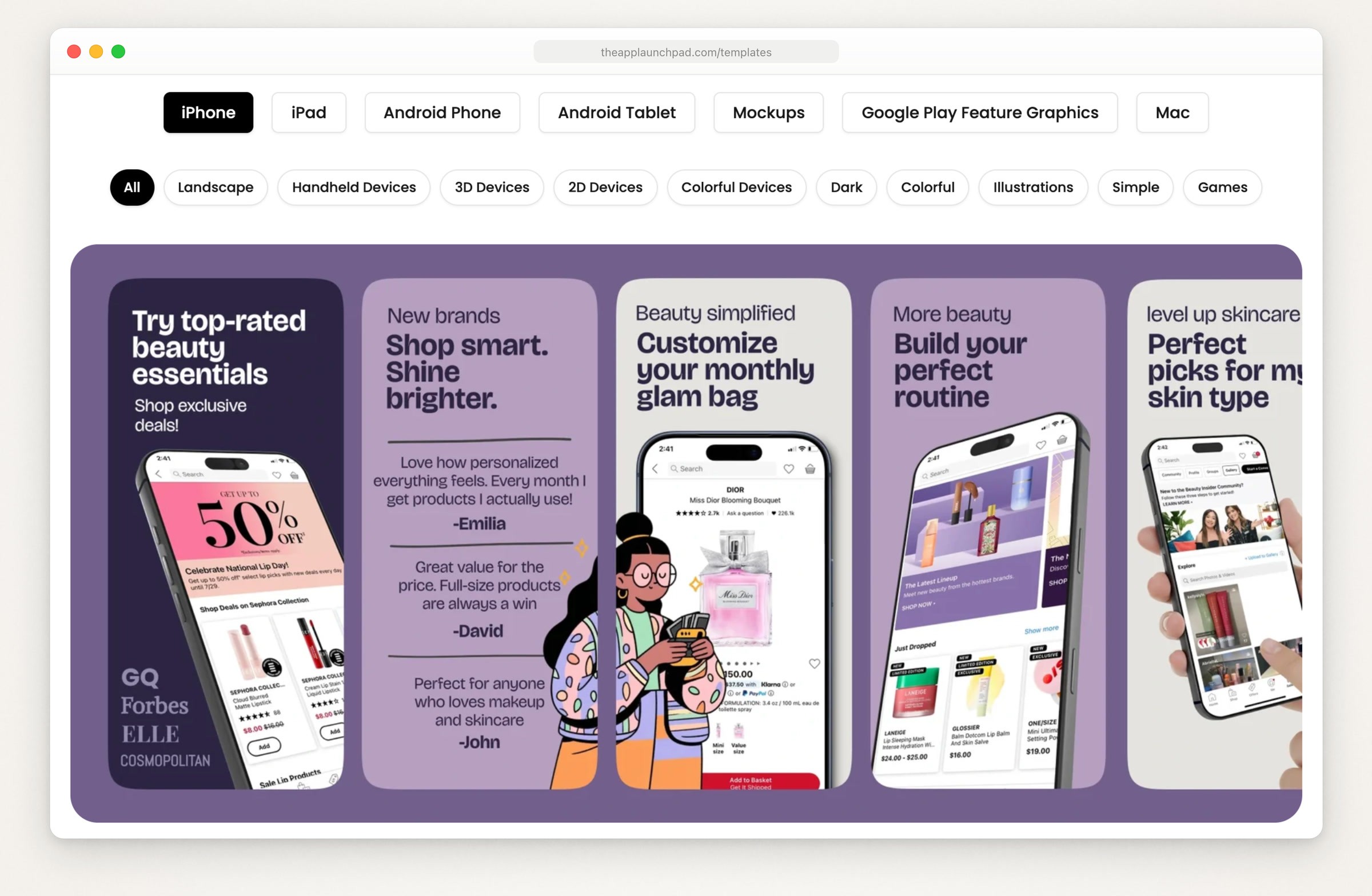
AppLaunchpad’s template gallery with the iPhone tab selected. Screenshot of theapplaunchpad.com, captured September 18, 2026.
What it costs, from AppLaunchpad’s pricing page on September 18, 2026:
Free: the drag-and-drop editor, 10 templates, 100 layouts and 70 fonts, and scaling to every iOS and Android size, with “Pro features with limited Exports”. The page doesn’t say how many exports.
Pro, $29 a month, or $15 a month billed yearly: unlimited exports, 1,000+ templates, 700+ fonts, AI translation, and the newest device frames, such as iPhone 18 and iPad Pro (checked September 24, 2026). Its FAQ caps Pro at 100 projects.
How it works: you upload captures into a template. The gallery is split by device (iPhone, iPad, Android phone and tablet, Mac) and by style, and includes Google Play feature graphics.
The catch: the free plan’s export allowance isn’t published, and the newest device frames are a Pro feature. AppScreens vs AppLaunchpad sets the two side by side, plan by plan.
Screenshots.pro
Best for: a free editor with every device and template, if you’re willing to credit it on your listing.
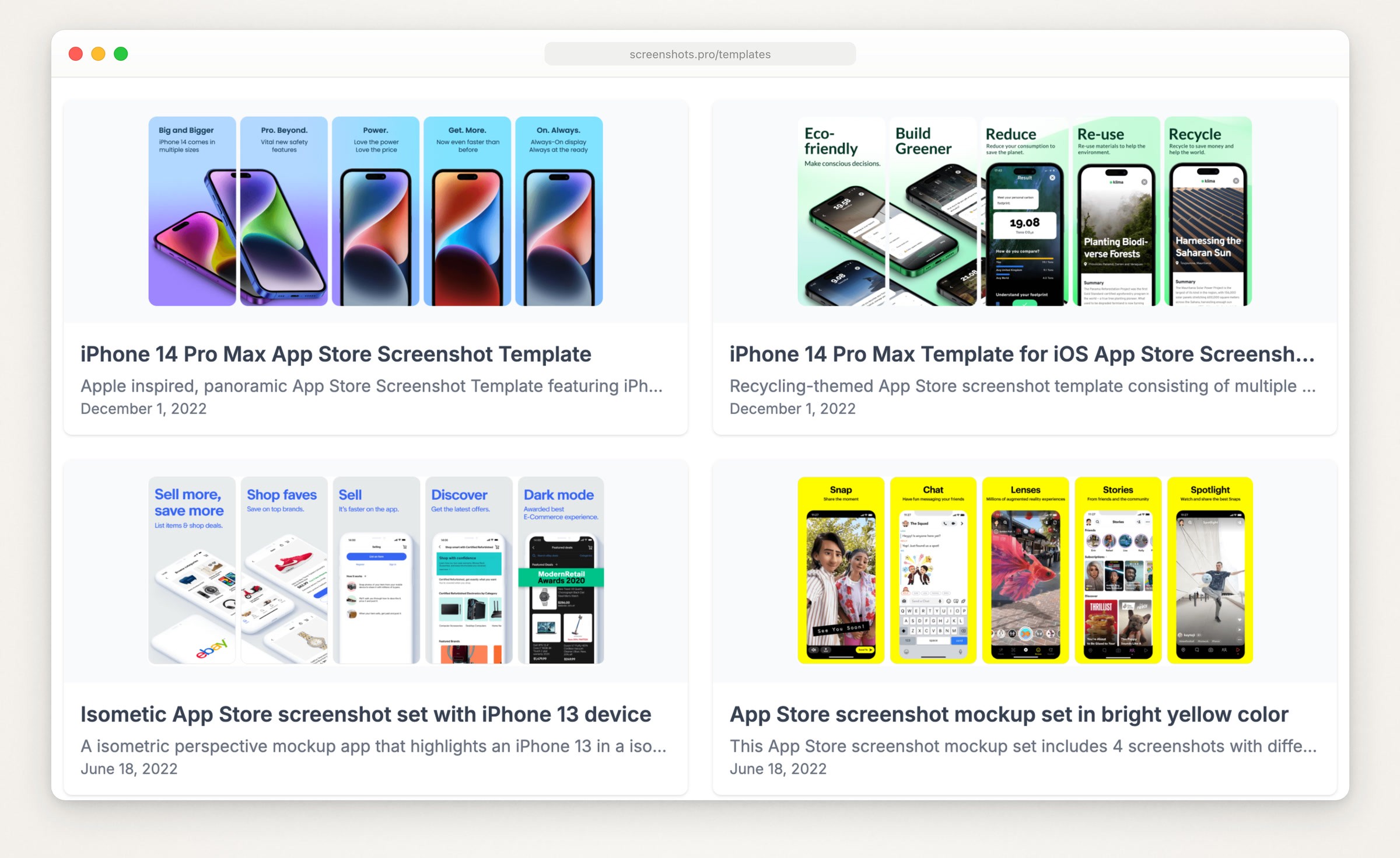
Four of the six templates in Screenshots.pro’s public gallery, dated 2022. Screenshot of screenshots.pro, captured September 18, 2026.
What it costs, from Screenshots.pro’s pricing page:
Basic, free: all devices, all templates, every editor feature and export in all sizes. Screenshots.pro’s license page requires an attribution link wherever the screenshots are used, App Store listing included, or the tool’s name as the source where a link isn’t possible.
Standard, $19 a month or $149 a year: no attribution needed, plus 3D angles, template storage, custom fonts and localization.
Extended, $49 a month or $379 a year: API access and the right to charge clients for what you make.
How it works: no account is needed to design, and the homepage lists 23 devices in clay or real frames and a REST API for automated screenshots, labeled alpha. Exports are PNG files at “4K+”.
The catch: the public gallery holds six templates, all dated 2022; the homepage names the iPhone 16 Pro Max among its latest frames. The free plan’s credit link would sit on your own store listing.
AppScreenStudio
Best for: a first listing for free, then paying only when you need more.
What it costs, from AppScreenStudio’s pricing page (rechecked September 19) and its homepage (September 18):
Free, per the pricing page: 2 saved projects, 2 languages and 10 screenshots per project, full-resolution PNG and JPG export, most templates, every device frame and every App Store and Google Play size, with no daily export limit beyond those.
Free, per the homepage: the plan card says 2 exports per day, and the FAQ says free exports have a daily limit and that full-resolution exports use credits.
Credits, no subscription: they lift the free limits, add 3D device rotation and pay for AI features, such as translation at 10 credits per language and generated mascots at 30 credits each; the pricing page says credits never expire. On September 18 the homepage showed packs of 500 credits for $10, 1,200 for $20 and 3,000 for $40, with yearly bundles from $60.
The catch: its two pages disagree on what the free plan exports; if it turns out limited, the smallest pack is $10. The AI extras (generated mascots, backgrounds and assets) add artwork that isn’t your app, so keep them away from the screen itself.
Screenshot Studio (Mac)
Best for: working on a Mac, uploading straight to App Store Connect, and letting a coding agent drive the editor locally.

Two of the templates built into Screenshot Studio, from its templates page. Screenshot of appstorescreenshotstudio.com, captured September 18, 2026.
What it costs, from Screenshot Studio’s Mac App Store listing, rechecked September 19 (version 1.30.0): a free download with in-app purchases of Pro at $4.99 a week, $9.99 a month or $54.90 a year, or Lifetime at $89.99. The listing says the upgrade prompt appears when you export or upload, and it requires macOS 14 or later (the app also runs on iPhone).
How it works: you import captures from the Simulator or a device, apply a template (25 on its templates page when captured, several modeled on the listings of apps such as Airbnb, X, Reddit and Things), translate captions with AI, and export or upload every size for iPhone, iPad, Mac, Apple Watch, Apple TV, Vision Pro and Android phones. Since version 1.28.0 it has a built-in MCP server that lets Claude and other AI clients write captions, import screenshots and preview designs, over localhost on your Mac.
The catch: you can’t export anything until you pay, and the site offers it only for Mac and iPhone, with no Windows or web version.
Free editors that keep your screenshots in the browser
AppMockUp Studio
Best for: a free editor with no account, where nothing is uploaded.

AppMockUp Studio’s examples page, which recreates well-known apps’ screenshot sets. Screenshot of app-mockup.com, captured September 18, 2026.
What it costs: the editor is free. Its template gallery listed 80 templates on September 18: 16 free and 64 at $9.97 each, with a commercial license.
How it works, per its FAQ: the editor runs entirely in your browser, and your projects and captures are never sent to its servers. A project holds up to 10 main screenshots across up to 10 devices, so up to 100 files, and exports as PNG, JPG or WebP at four quality levels, in a ZIP with a folder per device. The device list includes foldables.
The catch: there’s no autosave, so closing or refreshing the tab loses unsaved work unless you save a .mockup file. The FAQ says its devices come “with accurate dimensions” but doesn’t list the pixel sizes it exports, so check the files against Apple’s sizes before you upload. It also says it’s designed for every kind of app except games.
Yuzu’s App Store Screenshot Generator
Best for: a free, open source editor you can use as is or change.
What it costs: free, under the MIT license (Yuzu’s appscreen repository).
How it works: it runs on Yuzu’s GitHub Pages site and saves projects in your browser’s storage. The README lists output sizes for iPhone 6.9, 6.7, 6.5 and 5.5-inch and iPad 12.9 and 11-inch, plus custom sizes, with a ZIP export of everything, but gives no pixel sizes; the live editor shows the 6.9-inch size as 1320 x 2868 and also lists Android sizes. Devices can be placed flat or on a 3D model. AI translation uses your own Claude, OpenAI or Google API key, which the README says stays in your browser and goes only to that provider.
The catch: there’s no template gallery, so you build the look from gradients, text and device settings. The README credits both 3D models as CC BY 4.0, which requires attribution, so decide how you’ll credit them before you ship a set made in the 3D mode.
AI generators: the tool designs the slides, and may redraw around your app
AppLaunchFlow
Best for: AI that drafts layouts and headlines from your screenshots, with a full editor to finish them, plus ASO copy and promo videos in the same place.
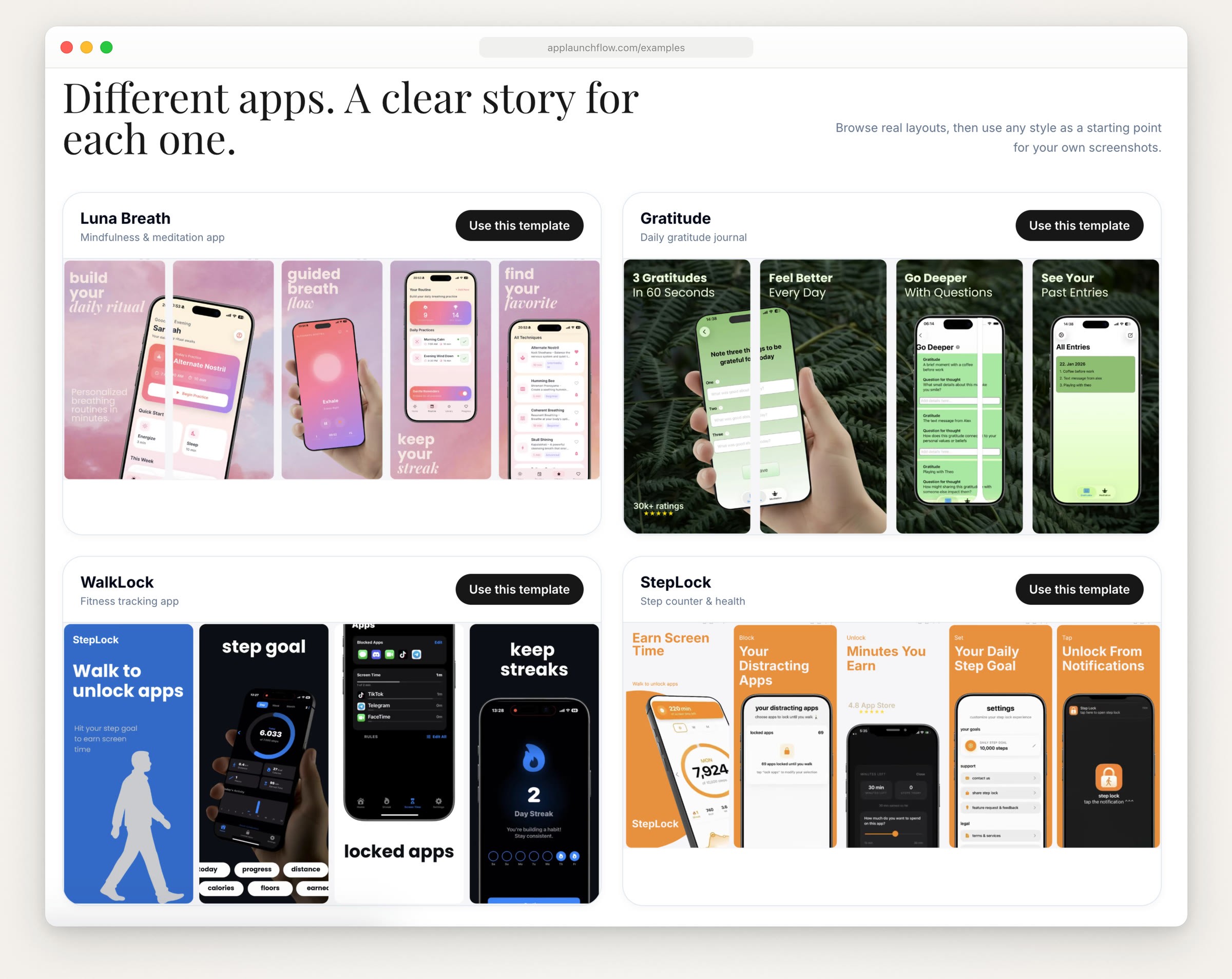
Example sets on AppLaunchFlow’s examples page. Screenshot of applaunchflow.com, captured September 18, 2026.
What it costs, from AppLaunchFlow’s pricing page, rechecked September 19, in euros:
Free: one app workspace where you can build and preview everything, but exports are preview only. Full-resolution downloads, translations and publishing to App Store Connect need a paid option.
Launch Pass, €9 once: 7 days of every export and launch tool for one app, with no renewal; the €9 counts toward a first Unlimited month.
Unlimited, €15 a month or €99 a year: unlimited workspaces, exports and translations. The API needs Unlimited, and unlimited API exports cost €19 a month more.
How it works: you upload your screenshots, the AI proposes layouts, benefit captions and a palette, and you refine everything in the editor before exporting iOS and Android sizes. Its MCP connects Claude, ChatGPT, Codex, Claude Code and Cursor to your projects, on every plan under the same limits.
The catch: nothing downloads at full resolution for free. Its “AI illustrations” (1 a month free, 10 on the pass, 200 on Unlimited) are generated visuals the pricing page says can “replace or complement a real screenshot”, which is where guideline 2.3 applies.
Buff My App (formerly StoreShots)
Best for: letting AI design the whole set from a prompt, with no editor at all.
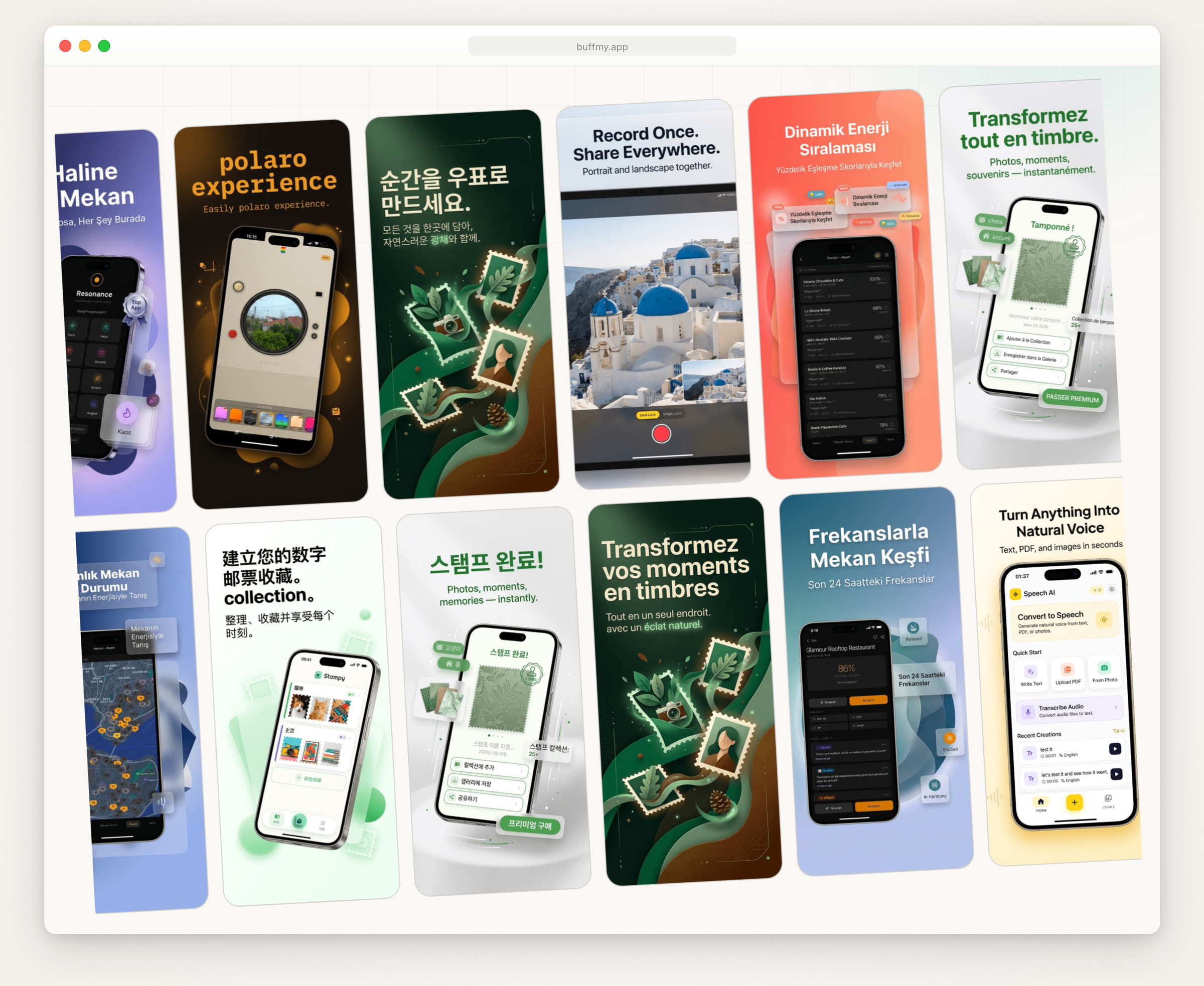
Screenshots shown on Buff My App’s homepage, several of them translated. Screenshot of buffmy.app, captured September 18, 2026.
What it costs, from the pricing section of Buff My App’s homepage, rechecked September 19:
Weekly, $8.99: 50 credits a week, plus a 10-credit welcome bonus.
Monthly, $39.99: 250 credits a month, plus a 50-credit welcome bonus and access to its MCP server.
Annual, $383.90: 3,000 credits a year.
There’s no free plan, though the homepage runs a live demo without signing up, and unused credits don’t carry over. The homepage doesn’t say how many credits one screenshot takes.
How it works: you enter your app’s name, description and category, pick a visual style, upload screenshots and generate. The homepage says the AI builds the store visuals “not a template”, translates into 35+ languages, and rebuilds the layout when it turns a phone set into a tablet set. Its MCP page, marked beta, lists tools to read your app from a store URL and to generate, translate and resize screenshots.
The catch: the shortest plan is a weekly subscription, even for a one-off set, and AI-built slides need the same check as any generated image: compare each one with the real screen before you upload.
Coding agent tools: Claude Code or Codex does the work
These are free and open source, and they run inside your coding agent. The cost is setup, plus per-image charges for Adam Lyttle’s skill. Several tools above also connect to agents: AppLaunchFlow’s hosted MCP (every plan), Buff My App’s MCP (beta, from the Monthly plan up) and Screenshot Studio’s local MCP server. The agent routes, including ScreenshotWhale’s skill and Claude Design, are compared in more depth in App Store screenshots with Claude Code.
ParthJadhav’s app-store-screenshots skill
Best for: a screenshot editor that lives in your repo, for iPhone and Google Play.
What it costs: free, MIT (ParthJadhav’s app-store-screenshots repository).
How it works: after npx skills add ParthJadhav/app-store-screenshots, the agent asks for your app context, screenshots, platforms, languages, style and slide count, then scaffolds a Next.js editor you run locally. The deck is saved in your repo as app-store-screenshots.json, and export downloads PNG files; the README’s size table includes 1320 x 2868 for 6.9-inch iPhones, three smaller iPhone sizes and the Google Play sizes. iPad is in its device selector, but the table lists no iPad size. It needs Node.js 18 or newer.
The catch: capturing and refreshing the source screenshots is still your job, and the PNG exports need the alpha check below.
Goldie
Best for: the agent working in the app itself, with flows that replay each release, plus Google Play screenshots and an App Store preview video.
What it costs: free. Goldie’s LICENSE file puts the code under MIT, the bundled iPhone bezel images under CC BY 4.0 and the bundled fonts under the SIL Open Font License.
How it works, per Goldie’s README: the agent explores your app and writes flows; Software Mansion’s argent replays them on an iOS Simulator or Android emulator; Goldie frames the captures with a bezel, background and headline, joins clips into a preview video and checks the results against each store’s upload rules. iPhone screenshots come out at 1320 x 2868, the preview at 886 x 1920, and Google Play screenshots at 1080 x 1920. It needs Node 20 or newer, ffmpeg, and macOS with Xcode for the iPhone side.
The catch: flows fail when the app changes, and you ask the agent to repair or re-record them. Unless you swap in your own bezel or turn it off, the CC BY images are in the screenshots you ship. If you’d rather script it without an agent, the guide to automating App Store screenshots covers fastlane and Xcode test plans.
Adam Lyttle’s ASO App Store Screenshots skill
Best for: benefit-led headlines found in your codebase, and a more produced look.
What it costs: the skill is MIT (Adam Lyttle’s skill repository), but its generation step runs Nano Banana Pro through a Gemini MCP server, which needs a Gemini API key. Google’s Gemini API pricing lists Nano Banana Pro with no free tier, at $0.134 per image at 1K or 2K. The README makes three AI versions of each slide (v1 to v3) before the final, so a five-slide set is at least 15 images, about $2.
How it works: it reads your codebase for the app’s core benefits, rates your Simulator screenshots, pairs each with a benefit, lays out a scaffold with Pillow, then has the image model add a photorealistic frame and polish. Finals are PNGs at 1290 x 2796 by default, a size Apple accepts in the 6.9-inch set. The README covers Claude Code only, and it needs Apple’s SF Pro Display Black font installed.
The catch: the final image is the model’s output with your screenshot inside it, so compare every slide with the real screen.
Where Moonjar fits (our product, in early access)
Moonjar is in early access with no published price, so it isn’t ranked with the tools above. It’s closest to the agent tools: Claude Code or Codex calls Moonjar’s MCP tools to open your app in the iOS Simulator, capture each screen with a clean 9:41 status bar (the default), and set the capture on a drawn iPhone in a 1320 x 2868 App Store canvas with a headline. Unlike the entries above, it was used for this page: the three below are from Ellie, the planner I build, on its demo data; exported as JPEG, each measured 1320 x 2868 with no alpha channel. Each design stays in Moonjar’s library with a history of its changes, so a later run can apply the same look to fresh captures when the app changes.

Three 1320 x 2868 App Store screenshots made with Moonjar from Ellie’s demo data: captured in the iPhone 17 Pro Simulator on September 16, 2026, styled and exported as JPEG on September 18, and placed side by side for this page. They aren’t Ellie’s live App Store listing.
What it doesn’t do: it runs only on a Mac, with Xcode for the Simulator. Its App Store look is the 6.9-inch iPhone canvas, and it draws an iPad capture on that same canvas. There are no Android frames, no localization step and no upload to App Store Connect. See what Moonjar does.
Check the files before you upload
Size and alpha. On a Mac,
sips -g pixelWidth -g pixelHeight -g hasAlpha screen.pngprints both. Compare the size with Apple’s list, not just the shape.A PNG with an alpha channel.
sips -s format jpeg screen.png --out screen.jpgwrites a JPEG copy at the same size; on a PNG with an alpha channel exported for this page, the copy had none.The real app. If an image model touched a slide, put it next to the actual screen before it goes in App Store Connect.
Demo data. A 9:41 status bar and believable, made-up content, never a real customer’s.
For the whole job around the tool (planning the set, headlines, order and upload), see how to make App Store screenshots.
How this page was made: the cover and the captures of each tool’s pages were made on September 18, 2026 with Moonjar (our product), from the public pages named in each caption, then trimmed with ffmpeg. The three Ellie screenshots were made with Moonjar from Ellie’s demo data and placed side by side with ffmpeg. The tools were described from their own pages, read on September 18, with prices rechecked on September 19 where the pages loaded and AppLaunchpad’s newest device frames rechecked on September 24; none was installed, bought or signed up for. This page was drafted with AI assistance.