TOPIC

·

20 GUIDES

Screen recordings and demos

Start with the complete app demo video workflow, or choose the job: capture a window or Simulator, fix the cursor and zoom, then export a GIF, App Store preview or launch video. Tool comparisons come after the practical guides.

An iPhone on a soft mint background showing the Amy app’s Apple Watch guide, with a watch demo reading Listening, and the caption Say what you ate on your watch beside the phone

Start here

How to make an app demo video: plan, record, cut and export

Turn one useful app interaction into a short video: plan the story, record it, make the edit and export for its destination.

Read the guide →

Practical guides and examples

Find the part you’re working on.

9 guides

An Ellie for Mac planner window with a Brain Dump list, three day columns and a Timebox calendar, on a blurred green meadow background

Guide

How to screen record one window on a Mac

macOS Tahoe 26 added Record Selected Window to the Screenshot toolbar. How to use it, what to do on older Macs, what ends up in the file, and fixes for a frozen, black or silent window recording.

An iPhone showing Ellie's day view on a blurred meadow, with a translucent white circle at the handle of the Braindump sheet where the finger touches down

Guide

How to record the iOS Simulator (with taps showing)
Neither simctl nor Device Hub’s Record button draws your taps. The recording commands, what the file holds, and four ways to make taps visible.

Ellie for Mac planner window with a green Plan the spring break budget block at 2 PM on the Timebox and an open-hand mouse pointer resting on it

Guide

How to hide, smooth or fix the cursor in a Mac screen recording

What to do about the pointer before you record, and after: what the Mac’s own recorder can’t do, the free routes (OBS and Cap), why a pointer already in the video can only be cropped or covered, and how to hide, smooth or move one kept on its own layer.

Ellie for Mac task columns seen close up, with the Research a standing desk card mid-drag over the Wed column

Guide

Auto zoom in screen recordings: how to check and fix it

Auto zoom follows the clicks a recorder logged, not what changed on screen. A five-minute check for every zoom, a zoom log to copy, and one real recording cut with auto zoom on, off and corrected.

An iPhone showing Ellie's Wednesday calendar on a soft mint background, beside the caption Drag a task onto the calendar to schedule it, with a gray touch circle on the screen

Guide

Claude Code video editing: cut, zoom and caption a screen recording with MCP

One real cut: Claude Code took a 19-second iPhone Simulator recording to 7.4 seconds with a zoom, a caption and a clearer touch indicator. The change log, the prompt pattern to reuse, and which tool fits which kind of video.

An iPhone up close showing Ellie mid-drag: a gray Drag to calendar to schedule banner above a task list, with the task Plan a low-key birthday afternoon, 00:35, lifted above the list, on a blurred green meadow

Guide

Remotion vs a screen recording for app demo videos, with Claude Code

Remotion turns React code into video, and Claude Code can write the code. Four questions decide whether your app demo should be built in Remotion, recorded from the real app, or both, and what Remotion’s license costs a team.

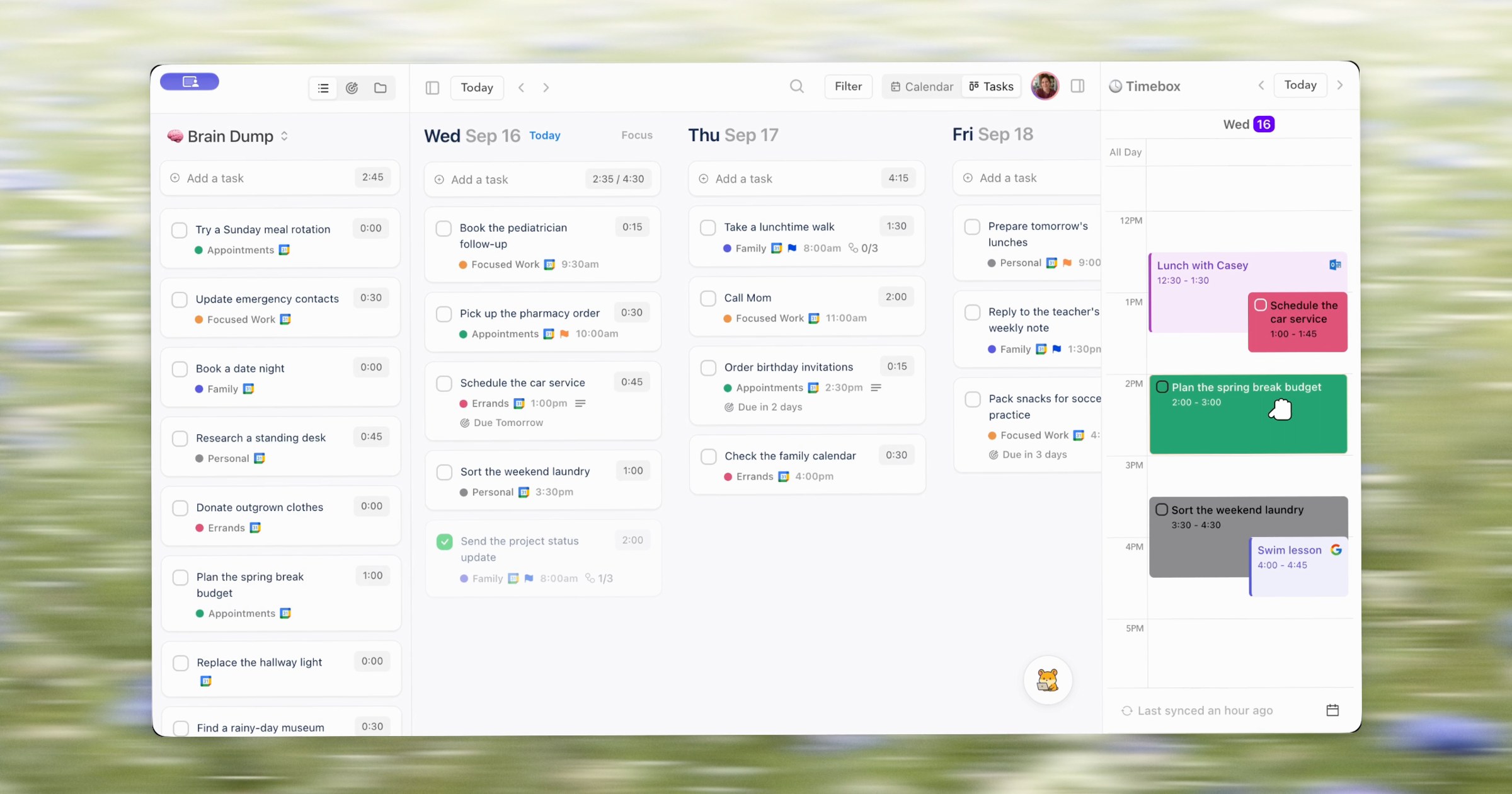
Ellie for Mac planner window with a Brain Dump list, three day columns of tasks and a Timebox calendar, floating over a blurred green meadow

Guide

How to turn a Mac screen recording into a GIF (small enough to share)

One ffmpeg command turns a Mac screen recording into a sharp, small GIF. Measured on a real recording: what width, frame rate, dithering and trimming cost, when an MP4 is the better file, and what to try when a GIF comes out too big.

Three iPhone screens of the Ellie planner side by side, each with a short caption at the bottom: Tasks wait in Braindump, Drag one onto your day, Now it has a time

Guide

App Store preview videos: the specs, then how to make one

The App Store preview video specs from Apple’s own pages, then a real 16-second preview made from a Simulator take, finished to spec with one ffmpeg command and checked with ffprobe.

An iPad showing the Ellie planner's week board and an iPhone showing its Brain Dump list, under the headline A better daily planner, on a blurred green meadow

Guide

Product Hunt launch video and gallery images: sizes and what to show

The sizes Product Hunt asks for, what its launch pages actually do with your images and video, a real launch set made to fit, and a checklist to run before you submit.

Compare tools

Choose a tool for the job you need it to do.

10 comparisons

Two browser windows over a blurred meadow: the top of Screen Studio’s homepage, headlined “Beautiful Screen Recordings in Minutes”, and the top of CleanShot’s homepage, headlined “There are average capture apps. And there’s CleanShot.”

Compare

Screen Studio vs CleanShot X: which one you need (and when you need neither)

CleanShot X is a screenshot app that, since version 5.0, also polishes recordings. Screen Studio is a recorder built for finished videos. Which one your week needs, what each costs, and how to compare them on your own take for free.

Two browser windows on a plain off-white background: the top of Screen Studio's homepage, headlined Beautiful Screen Recordings in Minutes, and the top of Cap's homepage, headlined Record. Edit. Share.

Compare

Screen Studio vs Cap: which Mac recorder fits your demos

Screen Studio is a Mac-only subscription built for polished videos. Cap is open source, free for personal use, and sells a $58 one-time license for work. Which license a product demo needs, and how to compare the two on your own app for free.

A frame from a Moonjar cut of an Ellie for Mac screen recording made with demo data: the planner window with a Brain Dump list, three days of tasks and a Timebox calendar, over a blurred meadow photo, with the mouse pointer in view

Compare

Screen Studio alternatives for Mac, compared (and when to stay)

Four Mac apps that do Screen Studio’s job, compared on three-year cost, what you can try before paying, Windows, auto zoom and iPhone recording, plus the cases where Screen Studio is still the one to keep.

Three browser windows on a soft lilac background: OBS Studio’s homepage at the top, with the line “Free and open source software for video recording and live streaming”, above Cap’s homepage on the left, headlined “Record. Edit. Share.”, and Screen Studio’s homepage on the right, headlined “Beautiful Screen Recordings in Minutes”

Compare

OBS alternative for Mac: what to use when you only need to record

How to record a Mac window, the screen or a demo when OBS is more than the job needs, and when to keep OBS.

Camtasia’s, ScreenFlow’s and Screen Studio’s product pages in three browser windows on a pale sand-colored background

Compare

Camtasia alternatives for Mac, sorted by how much you edit

Mac apps that replace Camtasia for software tutorials and app demos, grouped by how much editing you actually do. Prices checked September 24, 2026.

Two browser windows on a pale blue background: Remotion’s homepage, headlined Make videos programmatically, and HyperFrames’ homepage, headlined Let AI agents compose videos by writing code

Compare

Remotion vs HyperFrames for product videos: React or HTML, and what each costs

React components or plain HTML: what each framework asks your agent to write, what its license costs a team, and where a recording of your real app fits.

Three browser windows on a soft lilac background: Loom’s homepage in the middle, headlined One video is worth a thousand words, Screen Studio’s homepage on the left, headlined Beautiful Screen Recordings in Minutes, and Cap’s homepage on the right, headlined Record. Edit. Share.

Compare

Loom alternatives for Mac when the video is a product demo, not a message

Loom is built for quick messages you share by link. For a product demo or walkthrough people watch as a finished video, these Mac recorders fit better.

Camtasia’s and ScreenFlow’s product pages in two browser windows on a pale aqua and blue gradient background

Compare

ScreenFlow vs Camtasia on a Mac: which should you pick?

Two Mac screen recorders with built-in editors, compared for software tutorials and app demos on price, license, editing, captions, Apple silicon and exports.

Three overlapping browser windows on a pale lilac background showing the homepages of Creatomate, Motion Canvas and Diffusion Studio

Compare

Remotion alternatives: open source tools and video APIs, compared

Open source frameworks, video APIs and an agent-driven editor, with licenses and prices from each project’s own pages. Checked September 24, 2026.

Two browser windows on a pale mint and lilac gradient: Screen Studio’s homepage headlined Beautiful Screen Recordings in Minutes, and Loom’s headlined One video is worth a thousand words

Compare

Screen Studio vs Loom: a polished demo or a quick message

Price, editing, sharing and output compared, from both companies’ own pages, and which one to use for a product demo. Checked September 24, 2026.

MOONJAR © 2026

SCREENSHOTS AND DEMOS MADE WITH MOONJAR

MOONJAR © 2026

SCREENSHOTS AND DEMOS MADE WITH MOONJAR